97 models to explore
Choose a model to see full specifications Creality
K2 Plus Compare
Build volume · mm 350 × 350 × 350
Nozzles · mm 0.2 / 0.4 / 0.6 / 0.8
Enclosure Enclosed Full configuration & sources Also listed as K2 Plus Combo
Build volume 350 × 350 × 350 mm
Configured nozzles 0.2 / 0.4 / 0.6 / 0.8 mm
Nozzle temperature limit 350°C
Bed temperature limit 120°C
Enclosure Enclosed
Active chamber heating Up to 60°C
Desktop slicer Creality Print
Preparation workflow Native project
Other slicers OrcaSlicer
Reported motion speed limit 800 mm/s
Reported motion acceleration limit 30,000 mm/s² Official slicer machine preset (XY motion limits; not recommended printing speeds)
Creality
K2 Pro Compare
Build volume · mm 300 × 300 × 300
Nozzles · mm 0.2 / 0.4 / 0.6 / 0.8
Enclosure Enclosed Full configuration & sources Also listed as K2 Pro Combo
Build volume 300 × 300 × 300 mm
Configured nozzles 0.2 / 0.4 / 0.6 / 0.8 mm
Nozzle temperature limit 300°C
Bed temperature limit 110°C
Enclosure Enclosed
Active chamber heating Up to 60°C
Desktop slicer Creality Print
Preparation workflow Native project
Other slicers OrcaSlicer
Reported motion speed limit 800 mm/s
Reported motion acceleration limit 20,000 mm/s² Official slicer machine preset (XY motion limits; not recommended printing speeds)
Creality
K2 Compare
Build volume · mm 260 × 260 × 260
Nozzles · mm 0.2 / 0.4 / 0.6 / 0.8
Enclosure Enclosed Full configuration & sources Also listed as K2 Combo
Build volume 260 × 260 × 260 mm
Configured nozzles 0.2 / 0.4 / 0.6 / 0.8 mm
Nozzle temperature limit 300°C
Bed temperature limit 100°C
Enclosure Enclosed
Active chamber heating Not configured
Desktop slicer Creality Print
Preparation workflow Native project
Other slicers OrcaSlicer
Reported motion speed limit 800 mm/s
Reported motion acceleration limit 20,000 mm/s² Official slicer machine preset (XY motion limits; not recommended printing speeds)
Creality
K2 SE / SE 4C Compare
Build volume · mm 220 × 215 × 245
Nozzles · mm 0.2 / 0.4
Enclosure Open frame Full configuration & sources Also listed as K2 SE Combo · K2 SE 4C
Build volume 220 × 215 × 245 mm
Configured nozzles 0.2 / 0.4 mm
Nozzle temperature limit 300°C
Bed temperature limit 100°C
Enclosure Open frame
Active chamber heating Not configured
Desktop slicer Creality Print
Preparation workflow Native project
Other slicers OrcaSlicer
Reported motion speed limit 800 mm/s
Reported motion acceleration limit 20,000 mm/s² Includes SE 4C. This open-frame model has a different build volume from the enclosed K2.
Official slicer machine preset (XY motion limits; not recommended printing speeds)
Creality
SPARKX i8 Compare
Build volume · mm 260 × 260 × 255
Nozzles · mm 0.2 / 0.4
Enclosure Open frame Full configuration & sources
Build volume 260 × 260 × 255 mm
Configured nozzles 0.2 / 0.4 mm
Nozzle temperature limit 300°C
Bed temperature limit 100°C
Enclosure Open frame
Active chamber heating Not configured
Desktop slicer Creality Print
Preparation workflow Native project Uses the published launch specifications and stock 0.4 mm nozzle.
Manufacturer specifications; select the model in the latest vendor slicer
Creality
SPARKX i7 Compare
Build volume · mm 260 × 260 × 255
Nozzles · mm 0.2 / 0.4 / 0.6 / 0.8
Enclosure Open frame Full configuration & sources Also listed as SPARKX i7 Nano · SPARKX i7 Autofill · SPARKX i7 Color Combo
Build volume 260 × 260 × 255 mm
Configured nozzles 0.2 / 0.4 / 0.6 / 0.8 mm
Nozzle temperature limit 300°C
Bed temperature limit 100°C
Enclosure Open frame
Active chamber heating Not configured
Desktop slicer Creality Print
Preparation workflow Native project
Other slicers OrcaSlicer
Reported motion speed limit 500 mm/s
Reported motion acceleration limit 10,000 mm/s² Also covers the i7 Nano, Autofill, and Color Combo bundles, which use the same printer.
Official slicer machine preset (XY motion limits; not recommended printing speeds)
Creality
Hi Compare
Build volume · mm 260 × 260 × 300
Nozzles · mm 0.2 / 0.4 / 0.6 / 0.8
Enclosure Open frame Full configuration & sources Also listed as Hi Combo · Creality Hi
Build volume 260 × 260 × 300 mm
Configured nozzles 0.2 / 0.4 / 0.6 / 0.8 mm
Nozzle temperature limit 300°C
Bed temperature limit 100°C
Enclosure Open frame
Active chamber heating Not configured
Desktop slicer Creality Print
Preparation workflow Native project
Other slicers OrcaSlicer
Reported motion speed limit 300 mm/s
Reported motion acceleration limit 12,000 mm/s² Official slicer machine preset (XY motion limits; not recommended printing speeds)
Creality
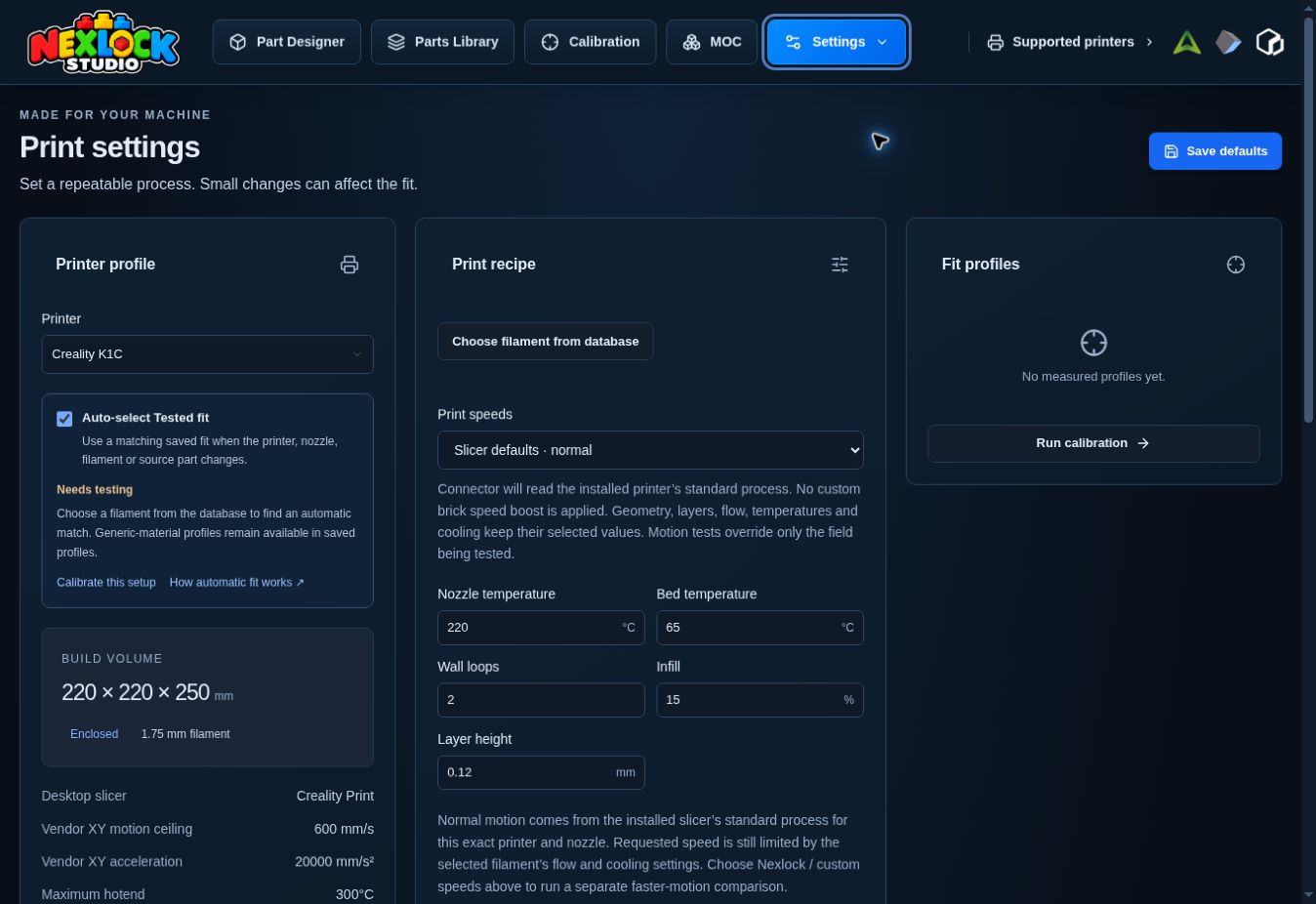
K1C 2025 Compare
Build volume · mm 220 × 220 × 250
Nozzles · mm 0.2 / 0.4 / 0.6 / 0.8
Enclosure Enclosed Full configuration & sources
Build volume 220 × 220 × 250 mm
Configured nozzles 0.2 / 0.4 / 0.6 / 0.8 mm
Nozzle temperature limit 300°C
Bed temperature limit 100°C
Enclosure Enclosed
Active chamber heating Not configured
Desktop slicer Creality Print
Preparation workflow Native project Stock hardware dimensions. Use a custom profile if a CFS retrofit changes your usable build area.
Manufacturer specifications; select the model in the latest vendor slicer
Creality
K1C Compare
Build volume · mm 220 × 220 × 250
Nozzles · mm 0.2 / 0.4 / 0.6 / 0.8
Enclosure Enclosed Full configuration & sources
Build volume 220 × 220 × 250 mm
Configured nozzles 0.2 / 0.4 / 0.6 / 0.8 mm
Nozzle temperature limit 300°C
Bed temperature limit 100°C
Enclosure Enclosed
Active chamber heating Not configured
Desktop slicer Creality Print
Preparation workflow Native project
Other slicers OrcaSlicer
Reported motion speed limit 600 mm/s
Reported motion acceleration limit 20,000 mm/s² Official slicer machine preset (XY motion limits; not recommended printing speeds)
Creality
K1 Max Compare
Build volume · mm 300 × 300 × 300
Nozzles · mm 0.2 / 0.4 / 0.6 / 0.8
Enclosure Enclosed Full configuration & sources
Build volume 300 × 300 × 300 mm
Configured nozzles 0.2 / 0.4 / 0.6 / 0.8 mm
Nozzle temperature limit 300°C
Bed temperature limit 100°C
Enclosure Enclosed
Active chamber heating Not configured
Desktop slicer Creality Print
Preparation workflow Native project
Other slicers OrcaSlicer / UltiMaker Cura
Reported motion speed limit 800 mm/s
Reported motion acceleration limit 20,000 mm/s² Official slicer machine preset (XY motion limits; not recommended printing speeds)
Creality
K1 Compare
Build volume · mm 220 × 220 × 250
Nozzles · mm 0.2 / 0.4 / 0.6 / 0.8
Enclosure Enclosed Full configuration & sources
Build volume 220 × 220 × 250 mm
Configured nozzles 0.2 / 0.4 / 0.6 / 0.8 mm
Nozzle temperature limit 300°C
Bed temperature limit 100°C
Enclosure Enclosed
Active chamber heating Not configured
Desktop slicer Creality Print
Preparation workflow Native project
Other slicers OrcaSlicer
Reported motion speed limit 800 mm/s
Reported motion acceleration limit 20,000 mm/s² Official slicer machine preset (XY motion limits; not recommended printing speeds)
Creality
K1 SE Compare
Build volume · mm 220 × 220 × 250
Nozzles · mm 0.2 / 0.4 / 0.6 / 0.8
Enclosure Open frame Full configuration & sources
Build volume 220 × 220 × 250 mm
Configured nozzles 0.2 / 0.4 / 0.6 / 0.8 mm
Nozzle temperature limit 300°C
Bed temperature limit 100°C
Enclosure Open frame
Active chamber heating Not configured
Desktop slicer Creality Print
Preparation workflow Native project
Other slicers OrcaSlicer
Reported motion speed limit 800 mm/s
Reported motion acceleration limit 20,000 mm/s² Official slicer machine preset (XY motion limits; not recommended printing speeds)
Hardware limits describe the machine’s ceilings. Choose printing temperatures and speeds in the slicer preset for your exact machine, nozzle and material.